

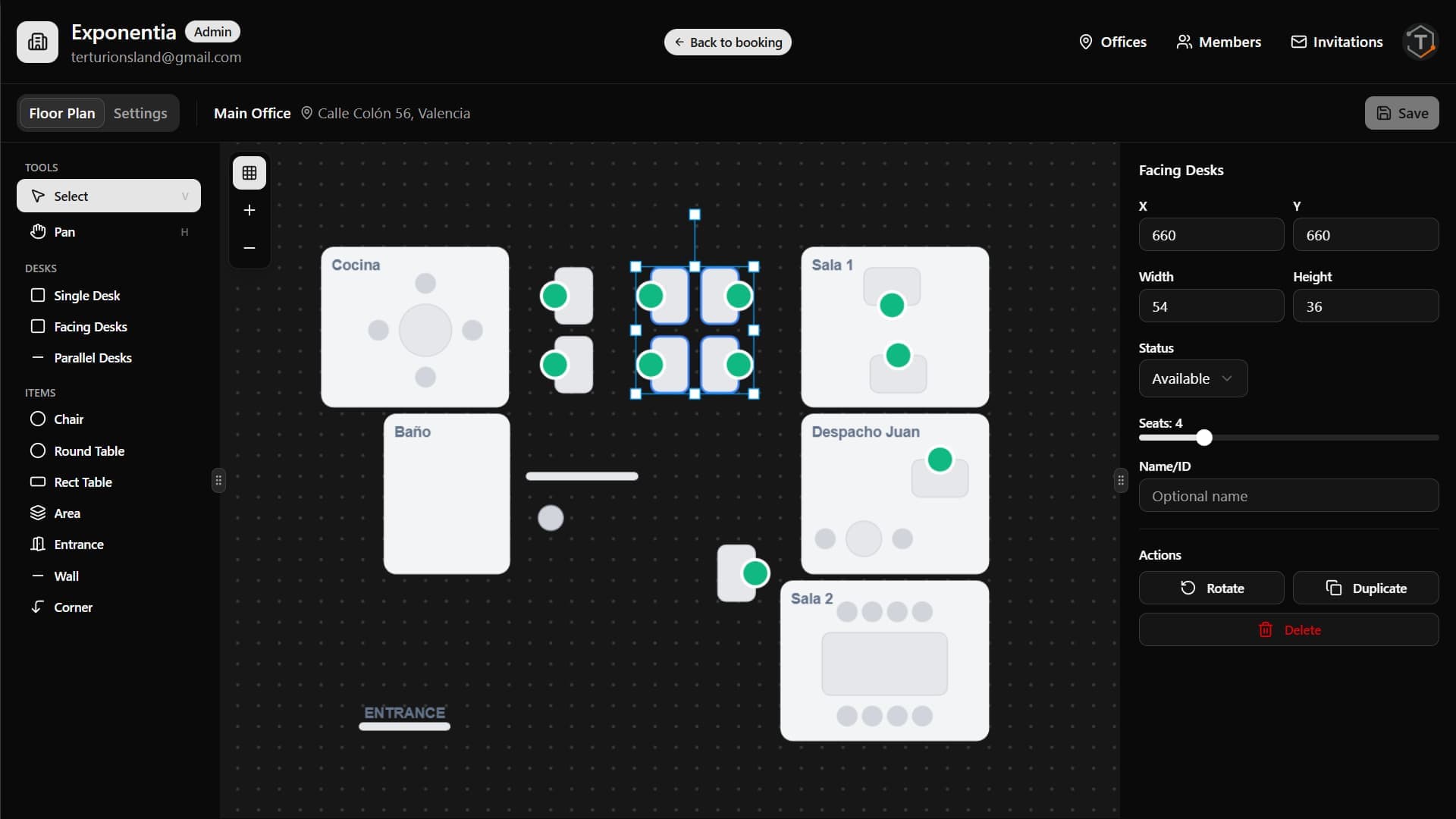
Design your office layout visually
The intuitive drag-and-drop editor lets you recreate your office floor plan in minutes. No design skills required.
Snap to grid
Elements align automatically for a clean, organized layout
Drag and drop
Place desks, walls, chairs, and meeting areas with ease
Rotate and resize
Adjust elements to match your exact office configuration
Save instantly
Changes are saved with Ctrl+S and available to your team immediately
Features
Built for hybrid teams
Everything you need to manage desk reservations without the complexity.
One-Click Booking
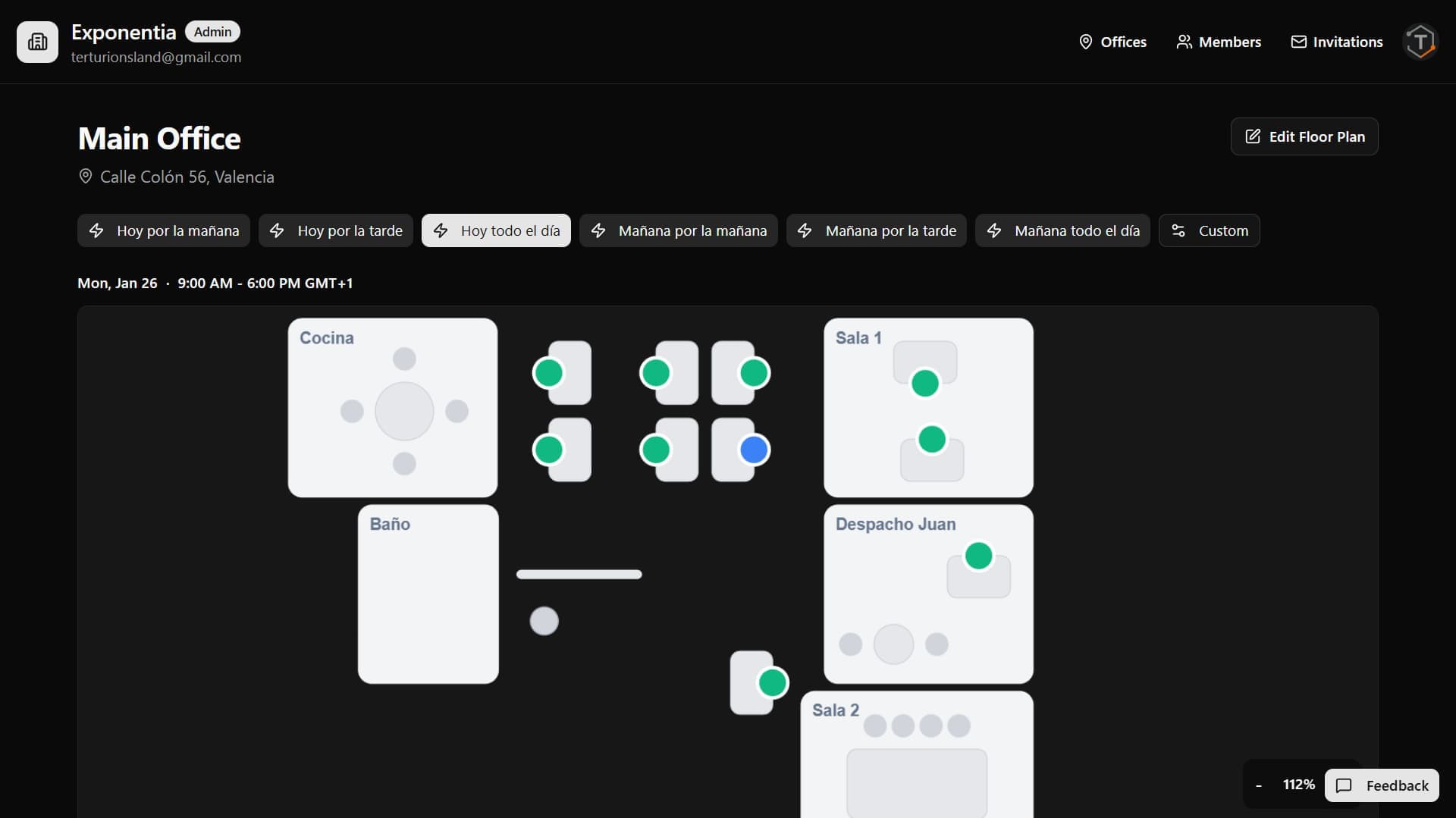
Green means available. Click to reserve. It's that simple.
Flexible Desk Layouts
Single, dual, quad, hex, or octo desks with individual seat booking.
Quick Presets
Configure time presets like 'Today Morning' for faster bookings.
Real-Time Status
Color-coded availability updates instantly across your team.
Multi-Office Support
Manage multiple locations, each with its own floor plan and timezone.
Team Management
Invite members via email codes. Assign admin or member roles.
Email Invitations
6-character codes sent by email. New members join in one click.
Admin Controls
Archive offices, manage members, and control who can edit floor plans.
How it works
Up and running in minutes
Create your company
Sign up and become the admin of your workspace.
Add offices
Set up locations with name, address, and timezone.
Design floor plans
Drag and drop desks, walls, and areas.
Start booking
Team members reserve desks with one click.